AirPods iOS 27 Public Beta: Custom EQ, Adaptive Slider, and GymKit — What Changed and Who Should Care
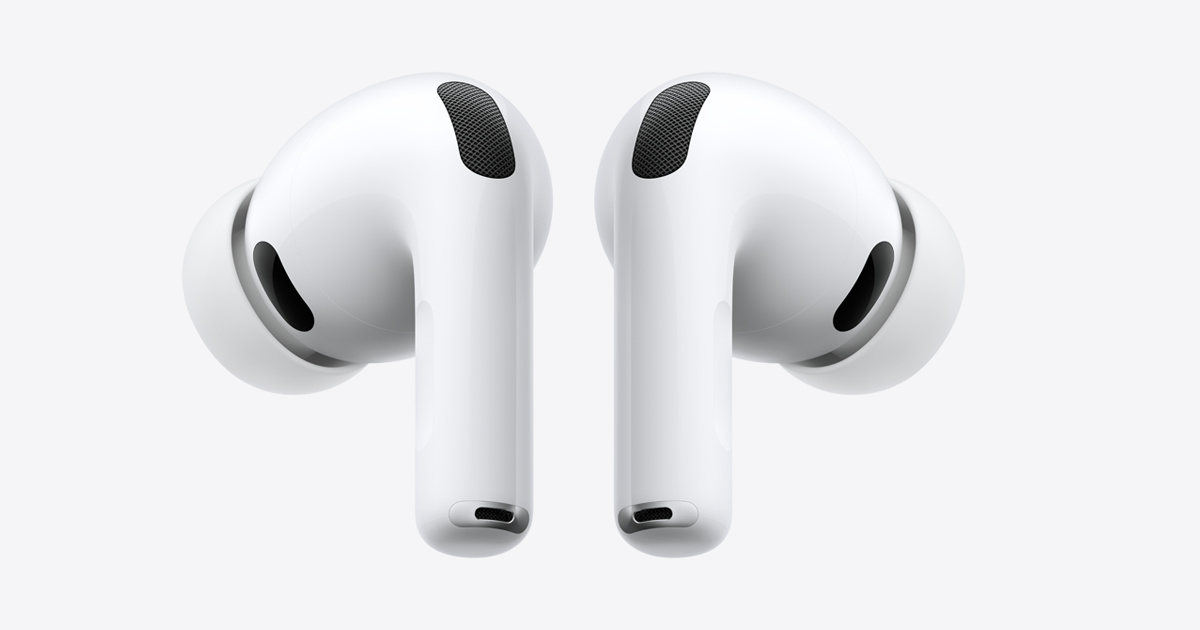
Apple released AirPods public beta firmware on July 14, one day after iOS 27 public beta landed. The firmware — build 9A5314b, identical to the third developer beta — unlocks three significant features that AirPods users have been requesting for years. Here's what changed, which models get what, and whether the beta is worth the risk.
Headline Feature
Custom EQ finally lets you adjust bass, mid, and treble on AirPods — a feature competitors have had for years.
Best For
AirPods Pro 3 owners get the most: custom EQ, Adaptive slider, GymKit, and Find My on Apple Watch.
Compare Next
See our full earbuds guide or the compare hub to find the best pair for you.
What New Features Does the AirPods Public Beta Add?
The firmware adds five notable features, though not all are available on every AirPods model:
Custom EQ
The biggest addition. A new equalizer interface in iOS 27 lets you adjust how your AirPods sound across bass, mid, and treble ranges. This has been one of the most-requested AirPods features — competitors like Sony WF-1000XM6 and Samsung Galaxy Buds 3 Pro have offered EQ customization for years. Available on all supported models.
Adaptive Mode Slider
Instead of toggling between discrete ANC and Transparency modes, you can now fine-tune the balance with a slider. Want mostly noise cancellation with a hint of ambient awareness? Set it exactly where you want. This replaces the binary toggle with a spectrum — a genuine usability improvement for daily commuters and office workers.
GymKit Heart-Rate Sync
AirPods Pro 3 only. Your AirPods can now sync heart-rate data to compatible gym equipment through your iPhone, similar to how Apple Watch has worked with GymKit machines. This makes AirPods Pro 3 a more complete fitness companion for gym-goers who don't wear a watch during workouts.
Find My on Apple Watch
You can now track missing AirPods Pro directly from your Apple Watch, without pulling out your phone. A small but practical improvement for anyone who has lost an earbud between couch cushions.
Siri AI Compatibility
AirPods work with the new Siri AI features in iOS 27, including more natural conversation flow and on-device processing improvements.
Which AirPods Models Get Which Features?
Not every feature lands on every model:
- AirPods Pro 3: All features — custom EQ, Adaptive slider, GymKit, Find My on Watch, Siri AI
- AirPods Pro 2: Custom EQ, Adaptive slider, Find My on Watch, Siri AI (no GymKit — lacks health sensors)
- AirPods 4: Custom EQ, Siri AI (no Adaptive slider or GymKit)
- AirPods Max 2: Custom EQ, Adaptive slider, Siri AI
The AirPods Pro 3 clearly gets the most out of this update. If you're still on AirPods Pro 2, the GymKit gap is a reason to consider upgrading — especially with the Pro 3 currently at $199 on Amazon, $50 below retail.
Is It Worth Installing the Beta?
Yes, ifyou have a secondary pair of AirPods for testing, or you're comfortable with potential bugs. The custom EQ alone is a meaningful daily improvement, and the Adaptive slider changes how you interact with ANC.
No, if your AirPods are your only pair and you rely on them for work calls or daily commutes. Beta firmware can introduce Bluetooth connectivity issues, battery drain, or ANC performance quirks. These features ship to everyone this fall with iOS 27 — the wait is only a few months.
How to enroll: Update to iOS 27 public beta first, then go to Settings → Bluetooth → [your AirPods] → Beta Updates. The firmware installs automatically when your AirPods are in their case and connected to your iPhone. To roll back, simply disable beta updates.
How Does This Affect the AirPods vs Competition Picture?
Custom EQ closes a feature gap that competitors like Sony WF-1000XM6 ($280) and Samsung Galaxy Buds 3 Pro ($140) have exploited for years. The Adaptive slider is something no competitor currently offers in quite this form — most use fixed ANC presets rather than a continuous spectrum.
For the AirPods 4 at $127, custom EQ makes them a stronger competitor against the Nothing Ear 3a at $99 in the budget segment. The Nothing Ear 3a has more features per dollar (LDAC, stronger ANC, Audio Snapshot), but AirPods 4 with EQ customization and deep Apple ecosystem integration remains the pick for iPhone users.
Related Articles
AirPods FAQ
Common questions about the AirPods iOS 27 beta
Quick answers about the new features, compatibility, and whether to install the public beta firmware.
Which AirPods models support the iOS 27 public beta firmware?
The public beta firmware (build 9A5314b) supports AirPods Pro 2, AirPods Pro 3, AirPods 4, and AirPods Max 2. Not all features are available on every model — GymKit syncing, for example, requires AirPods Pro 3.
How do I enroll my AirPods in the public beta?
You need to be running iOS 27 public beta on your iPhone. Then go to Settings, Bluetooth, tap your AirPods, and enable Beta Updates. The firmware installs automatically when the AirPods are in their case and connected.
What does AirPods custom EQ do?
Custom EQ lets you adjust bass, mid, and treble levels to personalize how your AirPods sound. It's a long-requested feature that was previously only available through Headphone Accommodations accessibility settings.
Is it safe to install the AirPods beta firmware?
Beta firmware can contain bugs and may affect battery life or connectivity. You can roll back to the stable firmware by disabling beta updates in Settings. If you rely on your AirPods daily, waiting for the fall stable release is safer.
When will these features come to all AirPods users?
Custom EQ, the Adaptive mode slider, and other iOS 27 AirPods features will ship to all users when iOS 27 launches this fall, likely in September alongside new iPhone hardware.