Ray-Ban Meta Audio vs Gen 3: Which Smart Glasses Should You Buy in Fall 2026?
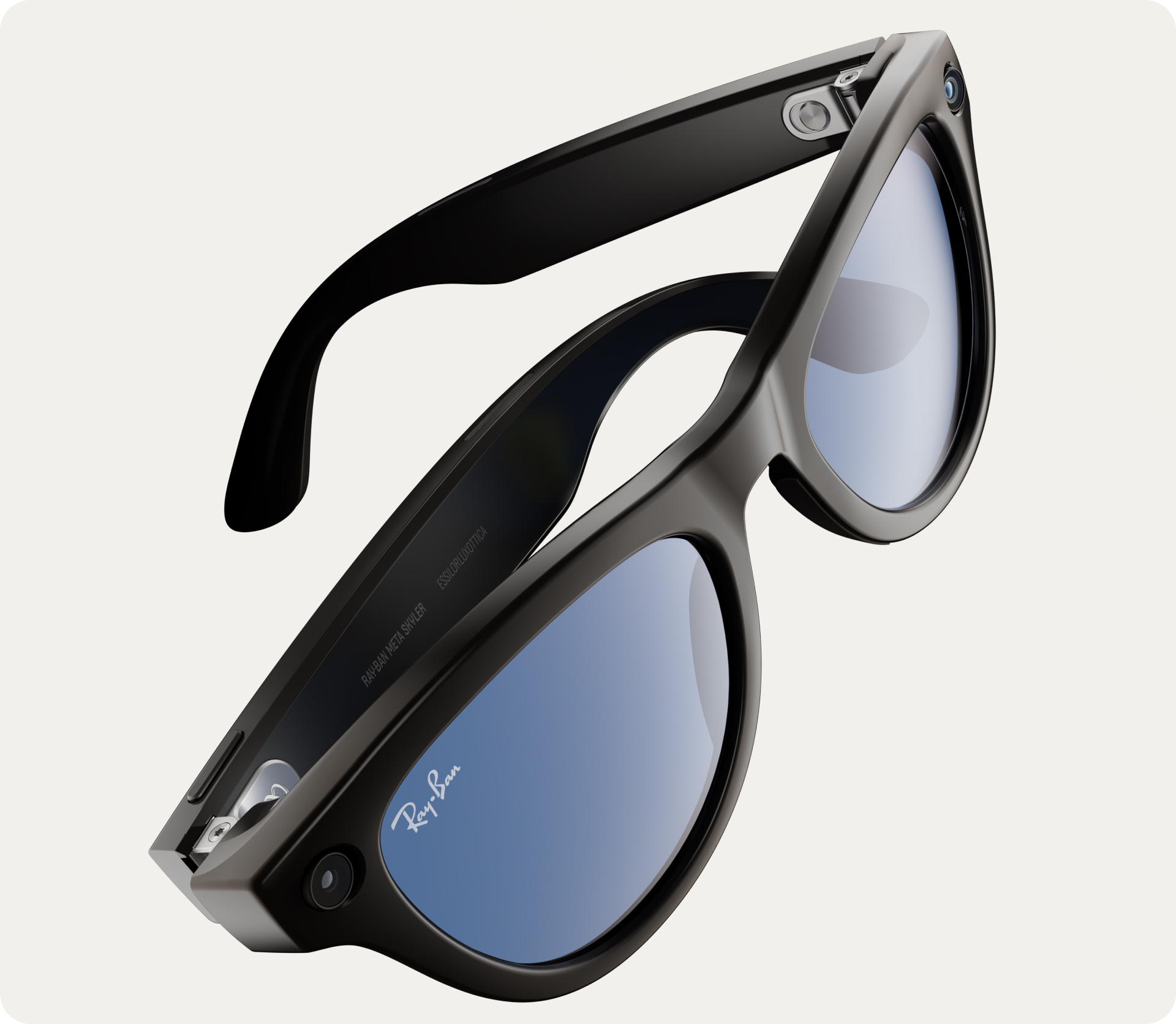
Meta now sells two lines of Ray-Ban smart glasses: the Gen 3 at $449 with a 12MP camera, and the Audio at $349 without one. The price gap is $100, but the real differences run deeper — battery life, weight, social acceptance, and AI capabilities all change when you remove the camera. After a week of post-launch comparisons and hands-on analysis, here's the definitive guide to choosing between them.
Best for Most People
Ray-Ban Meta Audio ($349) — longer battery, lighter, no social friction, and $100 less. The camera isn't as essential as you think.
Best for Power Users
Ray-Ban Meta Gen 3 ($449) — the camera unlocks visual AI, hands-free photos, and spatial audio video that no other device matches.
Compare Prices
See Gen 3 pricing or browse all smart glasses.
How Do the Specs Compare Side by Side?
On paper, the differences are clear. Audio trades the camera for longer battery and lighter weight. Everything else — speakers, microphones, Meta AI voice assistant, Muse agent integration, and open-ear audio — is shared.
| Feature | Gen 3 ($449) | Audio ($349) |
|---|---|---|
| Camera | 12MP, 3K Ultra HD video | None |
| Battery life | 9 hours | 12 hours |
| Weight | ~50g | 43g |
| Frame styles | Aviator, Wayfarer, Zena | Clubmaster, Burbank |
| Visual AI | Yes (camera-based) | No (voice-only) |
| Spatial audio capture | Dolby Atmos 360 | No |
| Microphones | 6 mics | 6 mics |
| Meta AI / Muse | Full (voice + visual) | Voice only |
| Prescription lenses | Yes | Yes |
| Ships | Available now | October 13, 2026 |
What Do You Actually Lose Without the Camera?
Three things, and they're more significant than they sound:
1. Hands-free photos and video. The 12MP camera with 3K Ultra HD video and Dolby Atmos 360 spatial audio is genuinely unique. No other consumer device captures first-person video with this quality in a glasses form factor. If you're a content creator, traveler, or parent who wants hands-free memories, this is Gen 3's strongest argument.
2. Visual AI. Telling Meta AI "look at this and tell me what it is" only works with a camera. Gen 3 can translate signs in real time, identify plants, look up product prices, and answer visual questions. Audio's Meta AI is limited to voice commands — powerful, but similar to what you'd get from a smart speaker or Bluetooth earbuds.
3. Dynamic Photos. Gen 3's dynamic photos let you pick the best frame from a short burst after capture. It's a small feature, but useful for candid moments.
Why Would You Choose Camera-Free on Purpose?
The case for Audio is stronger than it looks at first glance:
Social acceptance. The privacy backlash against camera-equipped smart glasses is real. Cinema bans, nightclub restrictions, workplace policies, and the "pervert glasses" stigma create daily friction for camera-equipped models. Audio removes all of that friction. You can wear them everywhere without anyone knowing they're smart glasses — they just look like regular Ray-Bans.
Battery life. 12 hours vs 9 hours is a full workday difference. If you wear glasses all day, Audio lasts from morning to evening without needing the case. Gen 3 may need a midday charge during heavy use.
Comfort. At 43 grams, Audio is lighter than most regular glasses frames. You'll forget you're wearing them. The 7-gram difference from Gen 3 is noticeable over a full day.
Price. $100 saved buys a year of Spotify Premium or a pair of prescription lenses for the glasses.
Which Should You Buy? Our Recommendation
Buy Ray-Ban Meta Audio ($349) if: You want smart glasses primarily for music, calls, podcasts, and voice AI. You'll wear them in settings where cameras cause friction — offices, gyms, restaurants, events. You want the longest battery life and lightest weight. You don't use visual AI features on your current phone.
Buy Ray-Ban Meta Gen 3 ($449) if: You'll actually use the camera weekly or more — for content creation, travel photos, hands-free documentation, or visual AI lookups. You want the broadest frame selection (Aviator, Wayfarer, or Zena). The privacy trade-offs don't bother you.
Our take: Most first-time smart glasses buyers should start with Audio. The camera is the feature that gets the most marketing attention, but it's not the feature that keeps people wearing smart glasses daily. Music, AI, and calls are the daily drivers — and Audio does all three better (longer battery, lighter weight) for $100 less. You can always upgrade to Gen 3 later if you find you miss the camera.
Related Articles
Smart Glasses FAQ
Common questions about Ray-Ban Meta Audio vs Gen 3
Quick answers about camera trade-offs, sound quality, and which smart glasses to buy.
Is Ray-Ban Meta Audio the same as Ray-Ban Meta without a camera?
Not exactly. Audio has exclusive frame styles (Clubmaster and Burbank), longer battery life (12 hours vs 9), and lighter weight (43g). It shares the same Meta AI voice assistant, speakers, and microphone array, but it cannot take photos, record video, or use visual AI features that require the camera.
Can Ray-Ban Meta Audio do everything Gen 3 does except take photos?
No. Beyond photos and video, Audio also loses visual AI — the ability for Meta AI to see and identify what you're looking at. Gen 3 can translate signs, identify plants, look up products, and answer visual questions. Audio's AI is voice-only, similar to talking to a smart speaker on your face.
Which Ray-Ban Meta has better sound quality?
Both share the same open-ear speaker technology and six-microphone array. Audio quality is comparable between the two models. Gen 3 adds Dolby Atmos 360 spatial audio capture for video recording, but that's a recording feature, not a playback advantage.
Should I buy Ray-Ban Meta Audio or wait for Android XR glasses?
If you want smart glasses now, Audio at $349 is excellent. Android XR Warby Parker glasses ship October 14 at $799 (display model) or November at $299 (audio-only). The $299 Android XR audio model is the closest competitor — it runs Gemini instead of Meta AI. If you prefer Google's ecosystem, waiting a month could be worthwhile.
Are Ray-Ban Meta Gen 3 Aviator frames too thick?
Multiple reviewers noted the Aviator frames feel thicker and looser than the Wayfarer style. If a slim fit matters to you, try them in person or consider the Wayfarer or Zena (cat-eye) frames instead. The Aviator style prioritizes the classic look over a snug fit.