Even Realities G2 Terminal Mode 2026: What Changed and Who Should Care
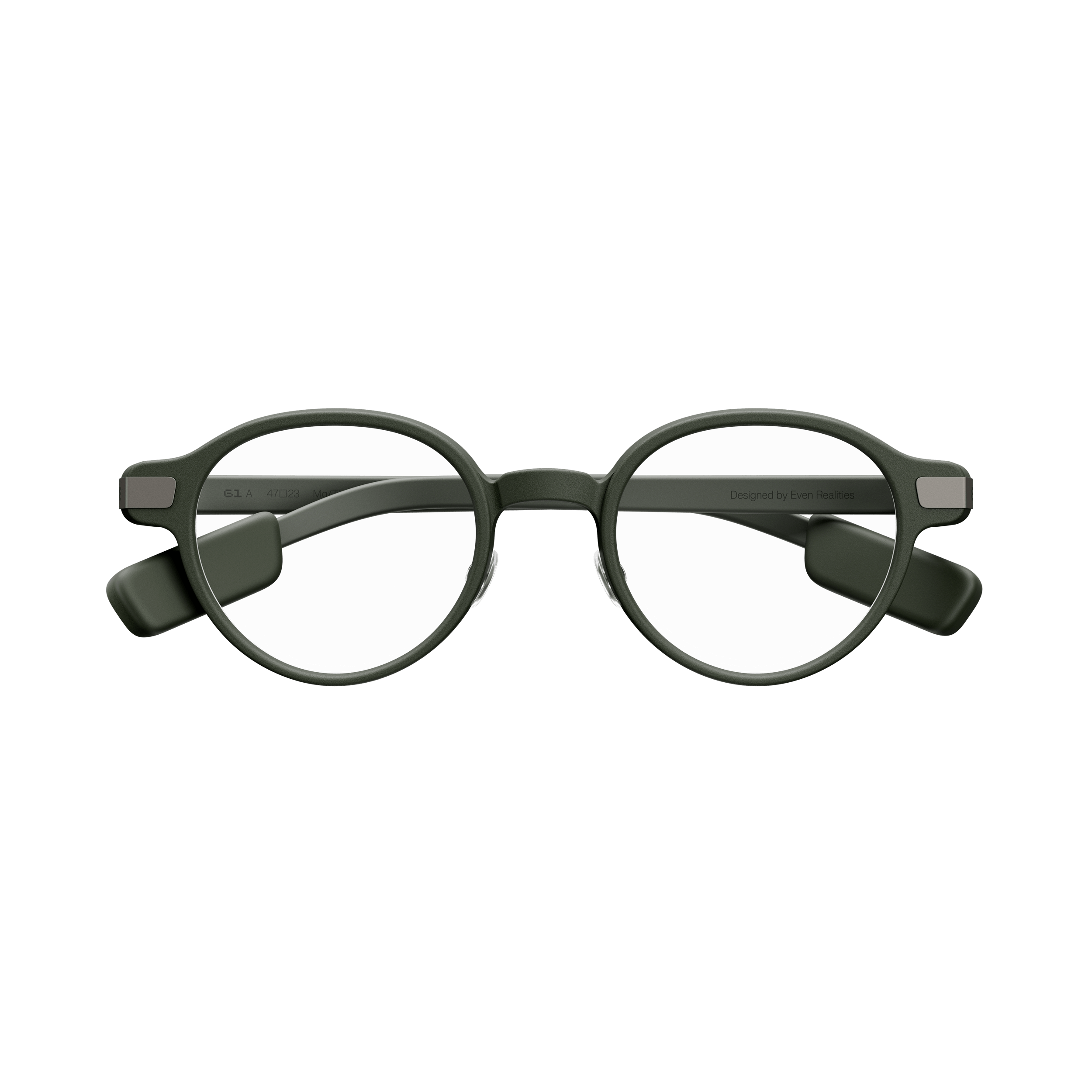
Even Realities just shipped the most developer-focused smart glasses update we've seen from any brand. The v2.2.0 update for the Even G2 smart glasses introduces Terminal Mode— a heads-up display overlay that lets software developers monitor AI coding agents and approve actions directly from their glasses. No phone required, no laptop needed. Here's what changed, how it works, and why it matters for the broader smart glasses market.
Terminal Mode
HUD overlay showing AI agent status. Tap the R1 ring to approve, hold for voice input. Works away from your desk.
v2.2.0 Updates
Continuous conversations, record exports for Conversate and Translate, sleep algorithm improvements, connection fixes.
Even G2 Price
Starts at $599. Camera-free with microLED display. Even Hub app store with 50+ apps. No subscription required.
What Is Terminal Mode and How Does It Work?
Terminal Mode turns the Even G2's microLED heads-up display into a real-time dashboard for AI coding agents. When an agent is running on your connected device — whether that's a laptop in another room or a cloud instance — Terminal Mode shows three ambient status indicators: Thinking, Executing, and Listening. These stay subtle and non-intrusive until the agent actually needs your input.
When the agent requires attention — a permission request, an action requiring approval, or an error state — the display shifts to signal it prominently. Developers can respond in two ways: a single tap on the Even R1 companion ring handles simple approvals, while holding the ring or the glasses activates voice input for more specific commands. The voice instruction goes directly to the agent, then you release and walk away.
Even Realities designed this for the moments when a developer steps away from their desk — a coffee run, a commute, a gym session — but wants to stay connected to their agent's work. It's not replacing your IDE; it's extending your awareness beyond your screen.
What Else Changed in v2.2.0?
Beyond Terminal Mode, the v2.2.0 update includes several meaningful improvements. Continuous conversations mean Even AI no longer requires repeating a wake-up command during an ongoing interaction — you can have a back-and-forth dialogue naturally. The update also adds export functionality for both Conversate conversation records and Translate translation records, letting users save and share their interaction history.
Under the hood, Even Realities improved their sleep tracking algorithms for more accurate data and fixed several Bluetooth connection stability issues that users had reported. These may seem minor, but reliable connectivity is foundational for a device you wear all day.
Why Does This Matter for the Smart Glasses Market?
Terminal Mode is significant because it represents the first genuinely productivity-first use case for smart glasses that goes beyond notifications and AI chat. While Ray-Ban Meta focuses on social sharing and AI conversations, and Google's Android XR glasses target general-purpose AI assistance, Even Realities is carving out a specific niche: ambient computing for developers.
Combined with the Even Hub app store (50+ third-party apps launched earlier this month), the G2 now has the most open ecosystem of any smart glasses on the market. The camera-free design also sidesteps the privacy concerns that have dogged Meta's camera-equipped glasses.
Who Should Buy the Even Realities G2?
Buy the Even G2 ifyou're a software developer who uses AI coding agents regularly and wants ambient awareness without screen-switching. It's also excellent for anyone who values a display-equipped smart glasses experience without cameras — privacy-conscious professionals, conference attendees, and frequent travelers who want real-time translation on their HUD.
Skip the G2 if you primarily want smart glasses for photos, video, and social sharing — that's Ray-Ban Meta territory at $379 on Amazon. And if you want full AR spatial computing, wait for the XREAL Aura or Samsung Galaxy Glasses later this year. Browse all options in our smart glasses comparison.
Related Articles
Smart Glasses FAQ
Even G2 Terminal Mode — Common Questions
Quick answers about Terminal Mode, the v2.2.0 update, and who should buy the Even G2.
What is Terminal Mode on the Even Realities G2?
Terminal Mode is a new HUD feature in Even G2's v2.2.0 update that displays AI coding agent status on your glasses — Thinking, Executing, Listening — and lets you send approvals or voice commands via the Even R1 companion ring without touching your phone or laptop.
Do I need the Even R1 ring to use Terminal Mode?
The R1 ring enhances the experience with tap-to-approve gestures, but Terminal Mode works with just the glasses. You can use voice commands by holding the glasses' touch area. The R1 ring makes the interaction more discreet and convenient.
Which AI coding agents work with Even G2 Terminal Mode?
Even Realities hasn't published a specific compatibility list, but Terminal Mode is designed as a general-purpose agent monitor. It displays status indicators and accepts approvals/voice inputs that get relayed to whatever agent is running on your connected device.
How much do the Even Realities G2 smart glasses cost?
The Even Realities G2 starts at $599 for the standard edition. The G2 with prescription lenses costs more depending on your prescription. The Even R1 companion ring is sold separately.
How does Even G2 compare to Ray-Ban Meta for developers?
Even G2 has a microLED heads-up display that Ray-Ban Meta lacks entirely, making it far better for glanceable information like Terminal Mode. Ray-Ban Meta has cameras and deeper social features. For developers who want an ambient display, the G2 is the clear choice.